✓ Free · No account · Works offline
Your writing, underlined.
Caret marks spelling, grammar and punctuation mistakes in any text box on any site — e-mail, forms, comment boxes — and fixes them in one click.
In review at Microsoft — live in the store within a few days. One click from the Microsoft Edge Add-ons store. Free, and it updates itself.
Four kinds of mistake
Marked in four colors
Hover any underline for the reason and the fix. Nothing changes until you click it.
Spelling
A 376,000-word dictionary and 4,000 known typos, with suggestions ranked by how common each word really is.
recieved → receivedseperate → separate
Grammar
Confused words, verb forms, agreement, a/an — and the capitals people actually miss.
their is → there ismonday → Monday · DOes → Does
Punctuation
Missing apostrophes, spaces in the wrong place, doubled marks, decades that never needed an apostrophe.
dont → don’tready.Also → ready. Also
Clarity
Wordy stock phrases and things said twice, offered as a suggestion rather than a scolding.
in order to → toeach and every → every
It never rewrites you. Caret suggests a word, or at most a short phrase, and nothing at all changes until you click it. Your voice stays your voice.
Or all at once
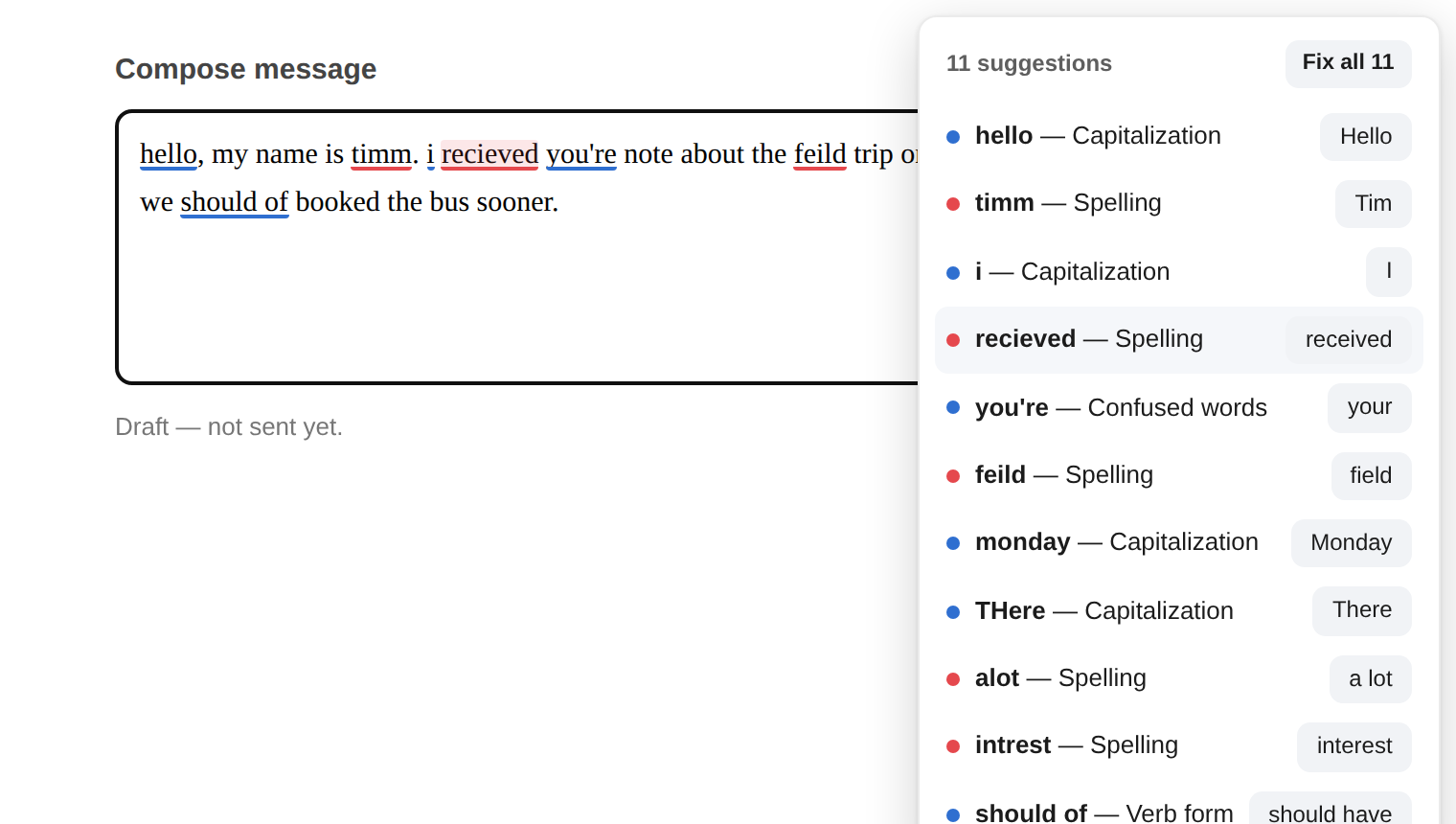
Everything it found, in one list
A small count sits in the corner of the box. Click it for the lot, with a Fix all for the unambiguous ones.
Installing
One click, and it keeps itself up to date
Caret installs from the Microsoft Edge Add-ons store like any other extension. Nothing to unzip, no settings to change, and new versions arrive on their own.
Microsoft is reviewing the listing now. It goes live within a few days.
Using Chrome, Brave or Opera? The same button works — they all install Edge add-ons.
Privacy
It has nowhere to send your writing
The dictionary, the ninety-odd grammar rules and every suggestion are computed in your browser, on your machine. There is no server, no account, and no analytics — this page does not even load a font from somebody else's domain.
One optional exception, switched off until you turn it on yourself: add your own Anthropic API key and Caret can ask Claude for a second opinion on the field you are writing in. Even then it only runs when you press Alt+Shift+G, it is capped to a number of checks you choose, and password fields, card numbers and anything key-shaped are never sent.
Questions
The usual ones
Is it really free?
Yes. No paid tier, no trial, nothing to subscribe to. It was built for one person and given away as it is.
Where does it work?
Any ordinary text box on any site — e-mail, forms, comment boxes, rich editors — including boxes inside frames on a page.
It cannot work on browser pages themselves (edge://), on the extension store, or in editors that draw their own text on a canvas, Google Docs being the famous one. That is a browser rule, not a choice.
How do I change what it checks?
Toolbar button → Settings. Switch whole categories off, teach it your own words, silence it on particular sites, pick a straight or wavy underline. The setup guide walks through every one of them with pictures.
How do I update it?
You do not. Extensions installed from the store update themselves in the background.
Does it work in Chrome?
Yes. Chrome, Brave, Opera and Vivaldi all install extensions from the Edge Add-ons store, and Caret behaves the same in all of them.
Something is wrong with it. What do I do?
Tell me on the report page — what you typed, what it said, and which site you were on is plenty to go on.